
Talk to your AI.Don't type to it.
Hold a key and speak the whole brief into Claude, ChatGPT or Codex. More context in, better work back.
About 30 seconds to say. About 1.5 minutes to type.
Good morning. What are we working on?
I need a 10-slide deck for Thursday's board meeting about moving support to 24 hours. It's for the CFO and two investors, so lead with cost and risk, not features. The cheapest vendor is 18 percent above what we pay today, but response time drops from 9 hours to under 1. Put the recommendation on slide two and the detail in an appendix. Ask me before you invent any numbers.
- Windows 10 and 11
- macOS 13 or later
- iPhone
- Web library
- Free for 30 minutes a month
What is VoiceDrop?
VoiceDrop is a voice-to-text app for Windows, Mac and iPhone, made in Norway. Hold a key to dictate prompts into Claude, ChatGPT, Codex or any other app, record brain dumps on a walk and meetings without a bot, and let your AI read the notes through a read-only MCP connector. It understands 57 languages.
The more context you give, the better it works.
AI does its best work when it knows the background, the numbers and what good looks like. Nobody types all of that. Saying it takes a minute.
What most people type
make a board deck on 24h support
What you say instead
A 10-slide deck for Thursday's board meeting about moving support to 24 hours. AudienceIt's for the CFO and two investors, so Anglelead with cost and risk. NumbersThe cheapest vendor costs 18 percent more but cuts response time from 9 hours to under 1. FormatRecommendation on slide two. RulesAsk before you invent numbers.
Prompts, without the typing.
Hold your shortcut in Claude, ChatGPT, Codex or a browser tab. Speak, let go, and the text lands at your cursor with punctuation. It works the same in Slack, email and Word.
Hold your shortcut
Pick any key combination. The overlay shows that VoiceDrop is listening.
Let go
Your speech is transcribed in a moment, with punctuation and capital letters.
Read it, then send
The prompt appears where you were typing. If an app blocks it, reinsert it with one shortcut.
57 languages. Your accent included.
Speak the way you normally do: a Glasgow accent, Texan English, or Spanish and English in the same sentence. VoiceDrop runs on Soniox speech recognition, chosen for how well it handles accents, dialects and language switching.
Up to 3x faster than typing on a phone.
In a Stanford study, people entered text by voice at 153 words a minute, against 52 on a phone keyboard (Ruan et al., IMWUT 2018). A 30-second prompt uses half a minute of your allowance.1
1 Ruan et al., Stanford University, University of Washington and Baidu, IMWUT 2018 (arXiv 2016). English, on a mobile phone. Read the study.
Take your coffee outside. Come back with a plan.
Explain the new project, the slide deck or the Excel model to your phone on a walk. When you sit down again, your AI already has the brief.
Talk it through outside
Press record and put the phone in your pocket. It keeps going with the screen locked, up to 60 minutes on Pro.
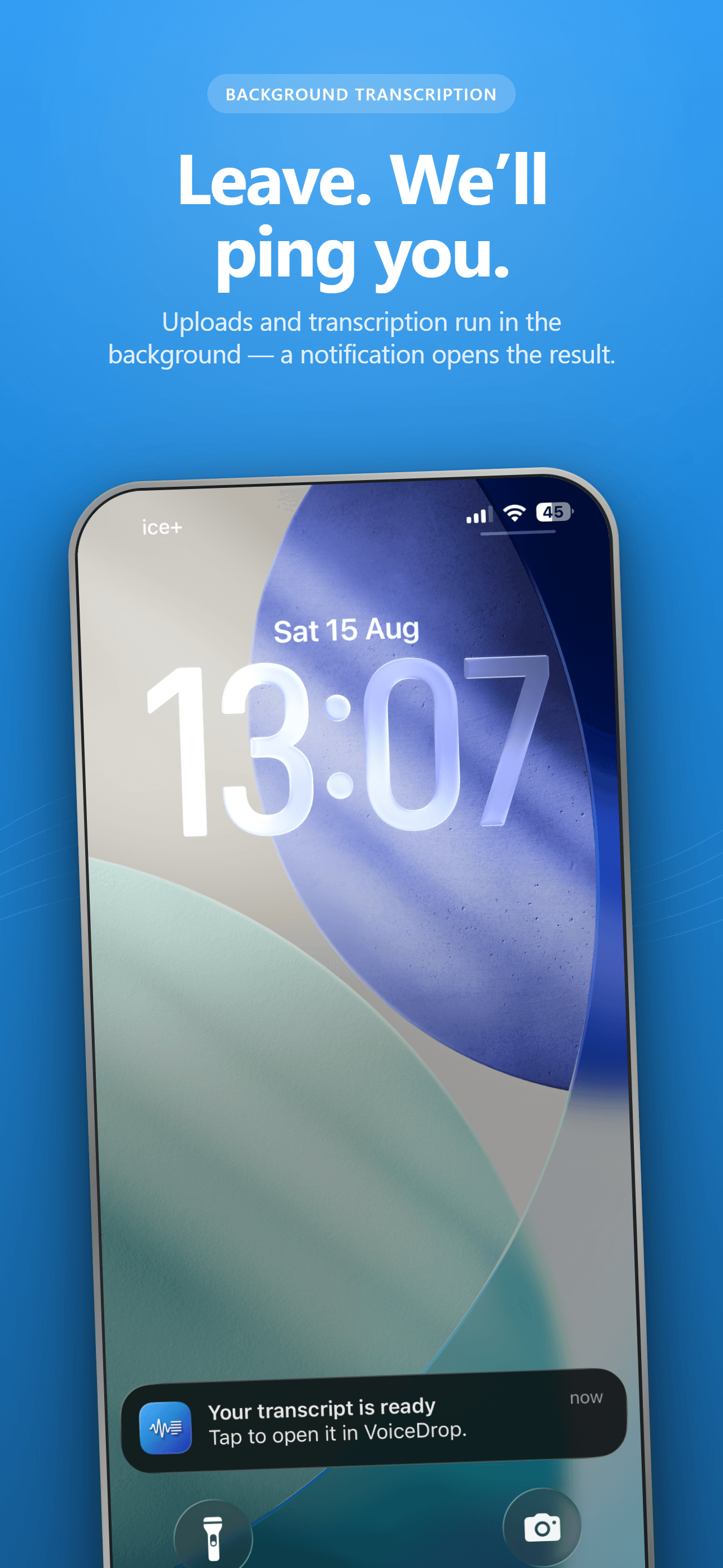
Get notes, not just text
A notification tells you when it is ready. Smart Notes pull out the summary, decisions and action items.
Walk: board deck on 24-hour support
14 min, recorded on iPhone
Smart Notes
Summary
Recommend 24-hour support with vendor B. It costs 18 percent more, but response time falls from 9 hours to under 1. The board will care most about cost and the risk of switching.
Action items
- Get vendor B's final quote before Wednesday
- Ask finance for this year's support cost
Pick it up at your desk
Ask Claude, ChatGPT or Codex to read the note through the VoiceDrop connector and start the work.
Read my walk note from this morning and draft the board deck outline.
voicedrop_get_history
Here is a 10-slide outline from your 14-minute walk note. Slide 2 is the recommendation: 24-hour support with vendor B. I left the cost slide open until the final quote arrives.
Meetings become context for your AI.
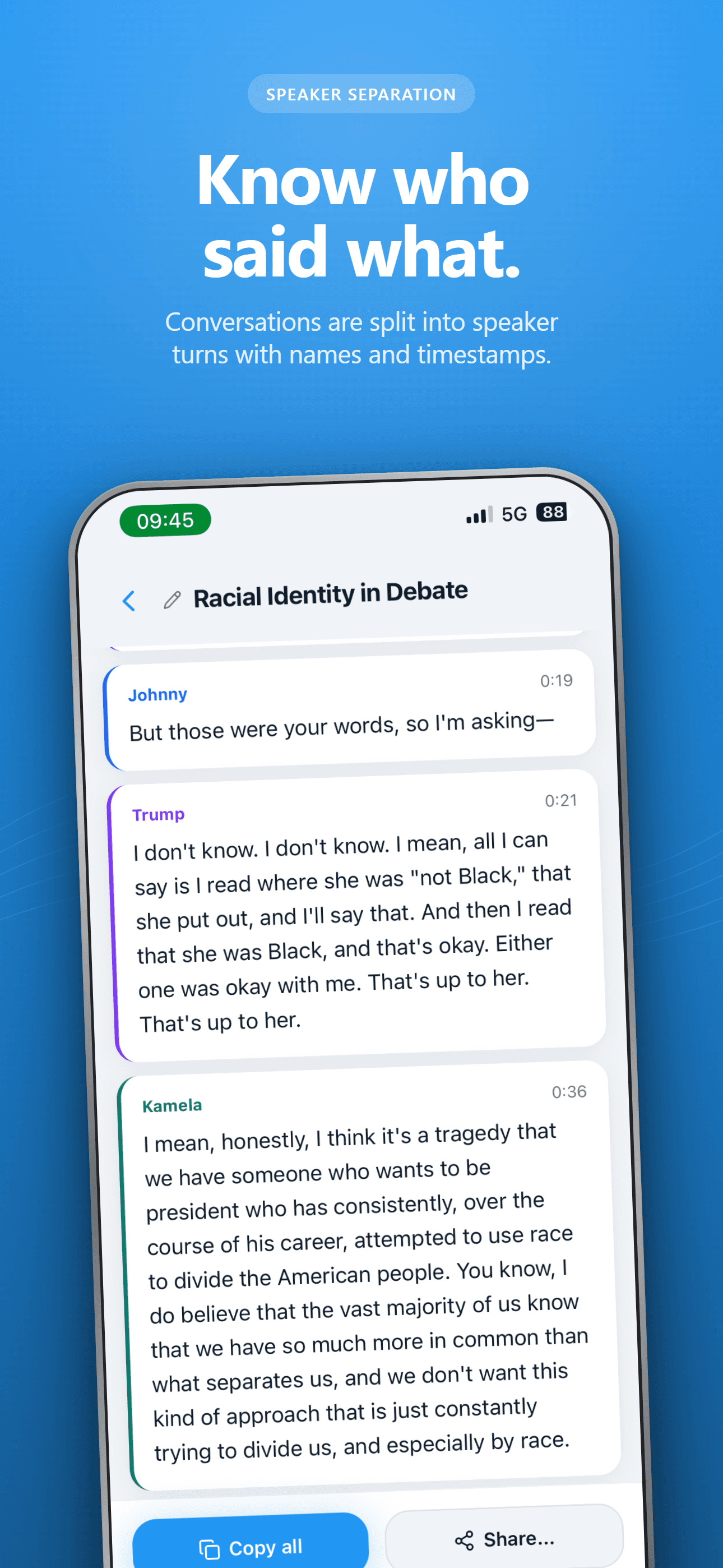
Record the call on Windows or Mac without a bot joining. Stop taking notes and stay in the conversation. Afterwards you get who said what, a summary, decisions and action items, ready for your AI to work from.
- Names from your calendar. Connect Google or Outlook and VoiceDrop suggests who spoke, for you to confirm.
- In the room, on iPhone. Record with the screen locked, or share a file from Voice Memos.
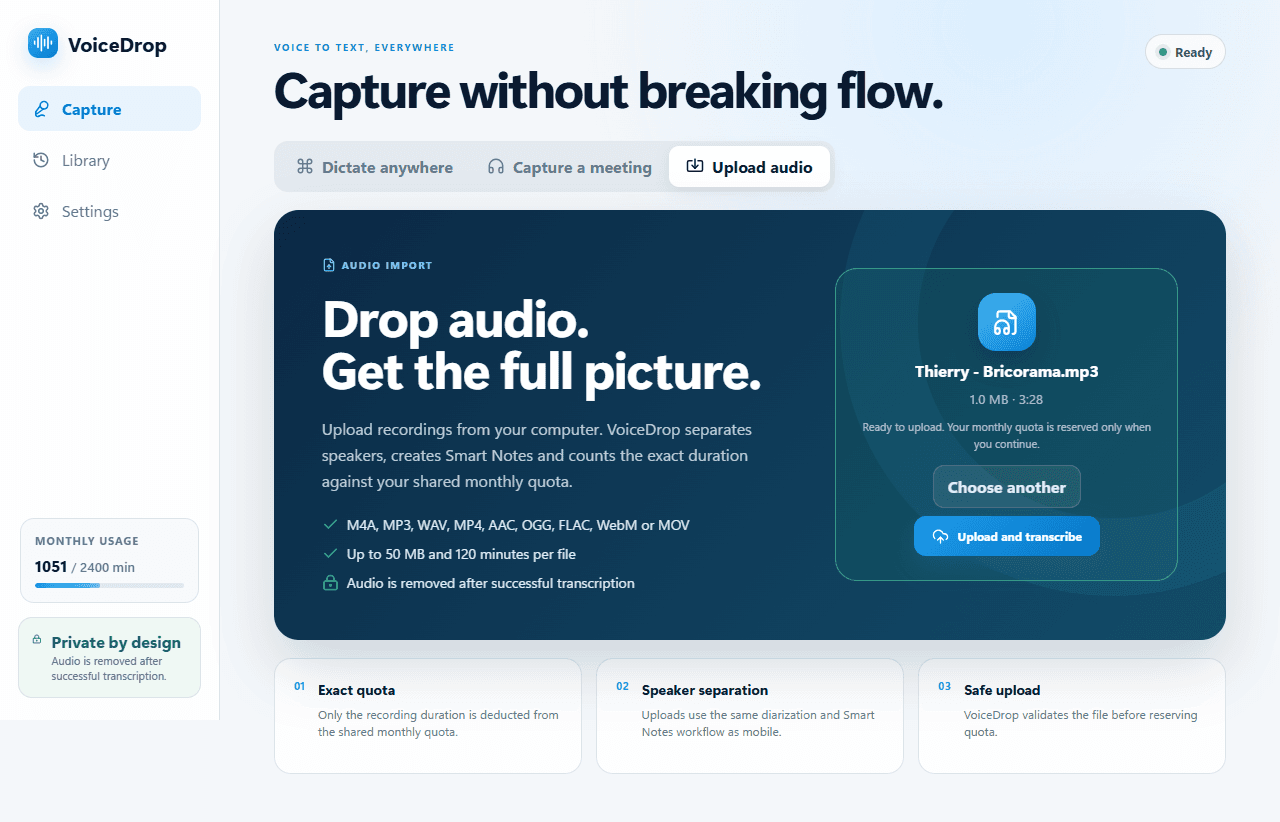
- Recordings you already have. Upload M4A, MP3, WAV and more for the same transcript and notes.
Works with any call that plays on your computer, including:
 Microsoft Teams
 Google Meet
Weekly product sync
32 min, 3 speakers, English and Spanish
Smart Notes
Summary
The team agreed to move the onboarding launch to 28 October so support can review the help articles. Pricing page changes ship first.
Decisions
- Onboarding launch moves to 28 October.
- Pricing page ships independently this week.
Action items
- Update help articles for the new onboarding (Maya)
- Send revised timeline to the client (Daniel)
Transcript
Maya04:12
If we launch on the 21st, support has two days with the new articles. That is too tight.
Daniel04:20
Then let us say the 28th. I will tell the client today.

Everything you said, ready for your AI.
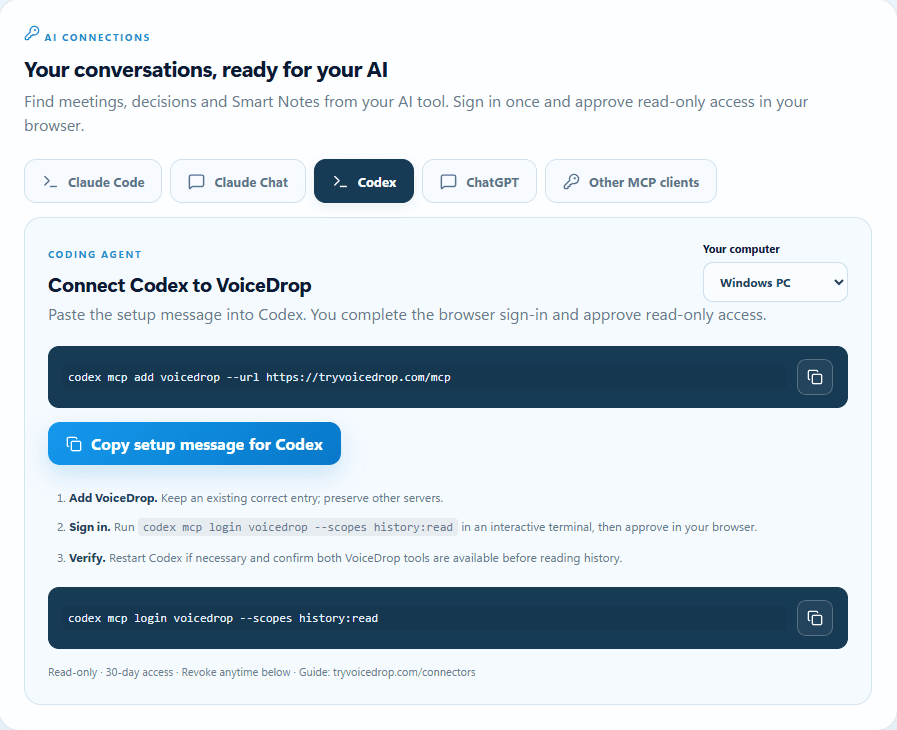
Connect VoiceDrop to Claude, ChatGPT or Codex. Your assistant can search your transcripts and Smart Notes and use them as context, with read-only access you can revoke at any time.
You ask your assistant
“Use my walk note and Tuesday’s client call to write the project plan.”
It reads your VoiceDrop notes and answers
“Here is the plan. It uses the 28 October launch agreed on the call and the staffing idea from your walk.”
Pro is $7.99 a month. For everything.
One plan covers dictation, meetings, uploads and the iPhone app on every device you sign in to. 1,200 minutes is about 20 hours of audio.
Compare plans| Product | Monthly | Yearly, per month |
|---|---|---|
| Dictation and meeting notes | ||
| VoiceDrop Pro | $7.99 | $6.67 |
| Superwhisper Pro | $8.49 | ~$7.08 |
| Dictation only | ||
| Wispr Flow Pro | $15 | $12 |
| Willow Pro | $15 | $12 |
| Aqua Voice Pro | $10 | $8 |
| Meeting notes only | ||
| Otter Pro | $16.99 | $8.33 |
| Granola Business | $14 | |
List prices from each provider's website, October 2026, in USD unless noted. VoiceDrop plans include 1,200 or 2,400 minutes a month; some dictation tools have no minute cap. Names belong to their owners.
What happens to your audio.
- Audio is deleted after transcription
- Recordings are sent securely for transcription and deleted from the VoiceDrop cloud once the transcript is ready. If a transcription fails, the audio can be kept for a while so it can be retried. If our main provider is down, a backup provider may process the audio under its own retention policy.
- Quick dictations stay local
- Short dictations are saved on your computer. They reach the cloud only if you turn on sync.
- AI access is read-only
- Connected assistants can read transcripts and notes, never audio. Access lasts 30 days and you can revoke it in Settings.
- No bot joins your call
- You start every recording yourself. Tell the people in the meeting before you record.
Questions, briefly.
Which AI tools does it work with?
Dictation works in most text fields, including the Claude, ChatGPT and Codex desktop apps and your browser. The connector lets Claude, ChatGPT, Codex and other MCP clients read your transcripts and Smart Notes.
Which devices does VoiceDrop run on?
Windows 10 and 11 (64-bit), macOS 13 or later on Apple silicon and Intel, iPhone, and a web library at app.tryvoicedrop.com. Android is not available.
Do I need a subscription for each device?
No. One account and one monthly allowance covers every device you sign in to. Dictation, meetings, uploads and iPhone recordings all draw from the same minutes.
Which languages does it understand?
57 languages, with automatic detection. VoiceDrop uses Soniox speech recognition, which handles regional accents, dialects and sentences that switch language halfway through.
Does it work with Teams, Zoom and Google Meet?
Yes, on Windows and Mac. VoiceDrop records your microphone and the computer audio you hear, so it works with any call app without joining as a bot.
What does the free plan include?
30 minutes of transcription every month, on all devices, with recordings up to 10 minutes and no card required. Upgrade when you need more.

Try it on your next prompt.
Free for 30 minutes a month. Sign in once and use it on every device.