
The best dictation app for Windows in 2026
By Gustav Tøstie, founder of voicedropPublished 6 min read
Written by the founder of VoiceDrop. We compare fairly, but we’re obviously fans of our own app.
Short answer
The best dictation app for Windows depends on how much you write. Built-in voice typing (Windows logo key + H) is free and fine for short text. Our pick, as the maker, is VoiceDrop: clean AI prompts without filler words, bot-free meeting notes and one account across Windows, Mac and iPhone from $7.99 a month. Very heavy, uncapped use favours Wispr Flow.
Why people pick VoiceDrop
- Fast, clean dictation: release the key and your words are transcribed and inserted straight away. Filler words like “um” are removed automatically in Windows and Mac dictation.
- Lowest paid Pro price in our comparison: $7.99 a month for 1,200 minutes, billed per second, so a 30-second dictation uses half a minute.
- Dictation and meetings in one app: record Teams, Zoom or Google Meet with no bot joining, and get speakers, timestamps and Smart Notes.
- Speaks your languages: 57 languages with automatic detection, including dialects and switching language mid-sentence.
What should a Windows dictation app actually do?
Most people who search for a dictation app on Windows want one thing: to talk instead of type, and have clean text land where the cursor is. That might be an email in Outlook, a message in Teams or Slack, a document in Word, or a long prompt to Claude or ChatGPT. The differences between the options show up in the details: how well punctuation is handled, whether filler words like “um” disappear, whether it copes with mixed languages, and whether it can also capture meetings.
Before you pay for anything, it helps to know what Windows already gives you for free. For a lot of people, it is enough.
How do I use the built-in Windows voice typing?
Windows 10 and 11 include voice typing. Put the cursor in a text field, press the Windows logo key + H, wait for the “Listening” alert, and start talking. Microsoft documents an optional automatic punctuation setting in the voice typing menu, and voice commands such as “delete that”, “press enter” and “stop listening” (the exact commands depend on the language).
- It is free and already installed. No account, no download.
- It needs an internet connection. Microsoft says voice typing uses online speech recognition powered by Azure Speech services.
- It supports many languages, from several English variants to German, French, Spanish, Japanese and Norwegian (Bokmål), according to Microsoft’s list for Windows 11.
- It types live as you speak, which suits short replies and quick notes.
Where it is weaker: it transcribes what you say rather than what you mean, so filler words and false starts tend to stay in, and it does not record meetings. If you mostly write short messages, start here and see whether it covers you.
Which dictation apps run on Windows?
Several dedicated apps now run on Windows. We checked each provider’s own website for platform support and list prices. Superwhisper also lists Windows support; its Pro plan costs from $8.49 a month and is unlimited, according to its site.
| Option | Price (Pro, per month) | Minute or word cap | Platforms | Meeting notes |
|---|---|---|---|---|
| VoiceDrop (our app) | $7.99, or $79.99 a year | 1,200 min a month on Pro (2,400 on Max) | Windows, Mac, iPhone, web library | Yes, on Windows, Mac and iPhone |
| Windows voice typing | Free | None stated | Windows | No |
| Wispr Flow | $15, or $12 billed annually | No dictation cap on Pro | Windows, Mac, iOS, Android | Yes, Notetaker on Windows and Mac |
| Aqua Voice | $10, or $8 billed annually | Unlimited words on Pro | Windows, Mac, iPhone, Android | Not listed |
| Willow | $15, or $12 billed annually | No cap stated on Pro | Windows, Mac, iPhone | Not listed |
VoiceDrop
We built VoiceDrop for people who talk to AI tools all day. You hold a shortcut you choose, speak, and release; punctuated text is inserted straight away where your cursor is in most apps, including the Claude, ChatGPT and Codex desktop apps, the browser, Word, Teams and Slack. On Windows and Mac dictation, filler words like “uh” and “um” are removed by default. It handles 57 languages with automatic detection, including speech that switches language mid-sentence. The same account also records meetings without a bot joining the call, and works on Mac and iPhone. See all plans.
Be aware of the trade-off: VoiceDrop Pro has a cap of 1,200 minutes a month, and Max has 2,400. Usage is billed per second, so a 30-second dictation uses half a minute. For most people that is a lot of talking, but it is still a cap.
Wispr Flow
Wispr Flow is a well-known dictation app with a free tier (2,000 words a week on desktop, as of October 2026) and a Pro plan without a dictation cap. It runs on Windows, Mac, iOS and Android, and its Notetaker feature records meetings on Windows and Mac. If you dictate for hours every day, the lack of a cap is a real advantage.
Aqua Voice and Willow
Both run on Windows and focus on fast dictation into any text field. Aqua Voice has the lowest list price of the uncapped paid apps here, with unlimited words on Pro. Willow’s pricing page does not mention meeting notes, so if you need meetings recorded as well, check before you buy.
Which dictation app should you choose?
- Choose VoiceDrop (our pick) if you want fast dictation and bot-free meeting notes in one account across Windows, Mac and iPhone, at the lowest paid Pro price here, and your usage fits within 1,200 minutes a month, which is 20 hours of talking. It also helps if you speak more than one language in the same sentence, and if you like telling the founder what to build next.
- Choose Windows voice typing if you write short messages, want something free today, and are happy to tidy up the text yourself.
- Choose Wispr Flow if you dictate heavily every day and want no minute cap, or if you also need Android.
- Choose Aqua Voice if you want unlimited dictation at a lower list price than Wispr Flow and do not need meeting notes.
Why does dictation matter more now that we use AI?
AI assistants give better answers when you give them more context, and most people type far less than they would say. Speaking can be up to about three times faster than typing on a phone, according to a study by Ruan et al., IMWUT 2018 (arXiv 2016) that tested English and Mandarin. On a computer the gap depends on how fast you type, but talking still makes it easier to explain the background, constraints and goal in one go. Our guide to talking to ChatGPT and Claude instead of typing shows how to structure a spoken prompt.
How do I set up VoiceDrop on Windows?
- Download the installer Get the Windows app from the download page. It runs on Windows 10 and 11 (64-bit, Intel or AMD).
- Install and sign in Open the installer and follow the guided setup. Windows may show an unknown-publisher warning; only continue if the file came from tryvoicedrop.com. Sign in or create a free account.
- Allow microphone access and pick a microphone Allow microphone access when Windows asks, then choose the microphone you want to use.
- Choose your shortcut Keep the default shortcut or set your own in Settings. Pick something you can hold comfortably.
- Dictate Click into any text field, hold the shortcut, speak when the overlay shows Listening, and release. The text is inserted at your cursor.
Some apps and elevated (administrator) windows block text insertion. When that happens, the dictation stays in VoiceDrop and you can reinsert it with a shortcut or paste it. Quick dictations are saved locally on your computer and only reach the cloud if you turn on sync.
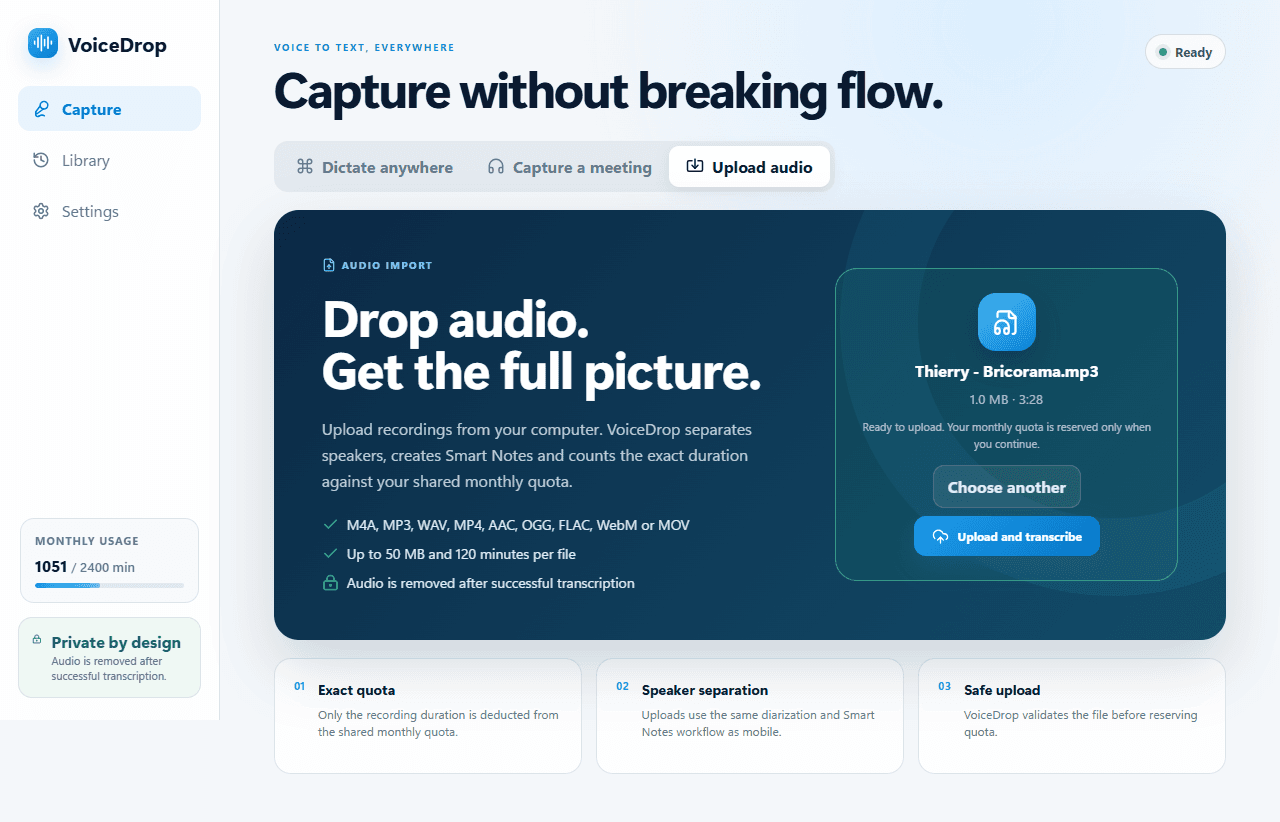
Can a Windows dictation app also take meeting notes?
Windows voice typing cannot. Wispr Flow and VoiceDrop both can. VoiceDrop records your microphone plus the computer’s audio, so it works with Teams, Zoom, Google Meet or any other call, even with headphones, and no bot joins the call. Afterwards you get a transcript with speaker labels and timestamps, plus Smart Notes with a summary, decisions and action items to review before you share. Read more in meeting notes without a bot.
Is my audio stored?
With VoiceDrop, audio is sent securely for transcription and is not kept in your account after it has been processed. Transcripts and Smart Notes are saved to your account. Each provider handles this differently, so read their privacy policy before you choose. Questions? Email us.
Talk directly to the founder
VoiceDrop is founder-led, so support is personal: when you write, I read it and answer myself. Ask for a feature: write to me at hi@tryvoicedrop.com. Many of this month’s improvements were driven by real-world testing and feedback.
Gustav Tøstie, founder
Shipped in October 2026
- Eight desktop releases (0.4.13 to 0.4.20), plus iPhone updates
- Faster paste into the app you are typing in
- Filler words like “um” removed automatically in Windows and Mac dictation
- Start and stop recording from Control Center on a locked iPhone, with a notification when the transcript is ready
- Free plan raised to 30 minutes a month
- This website in seven languages