
Walk-and-talk: brain dump a project on a walk and turn it into a plan with AI
By Gustav Tøstie, founder of voicedropPublished 6 min read
Written by the founder of VoiceDrop. We compare fairly, but we’re obviously fans of our own app.
Short answer
To turn a brain dump into a plan with AI, record yourself talking through the project on a walk (our app, VoiceDrop, records on iPhone with the screen locked), get a transcript, then ask Claude or ChatGPT to structure it into goals, open questions, risks and next steps. Talking covers more ground than typing, and the assistant does the sorting afterwards.
Why people pick VoiceDrop
- Built for a walk with the screen locked: recording keeps going with the phone in your pocket, and you start and stop from Control Center, even on a locked iPhone.
- No waiting around: leave the app while it uploads, and get a notification when the transcript and Smart Notes are ready.
- Straight into Claude or ChatGPT: the read-only connector lets your assistant find this morning’s walk by itself.
- Think in any language: 57 languages with automatic detection, so you can ramble in whichever language comes naturally.
What is a walk-and-talk brain dump?
A walk-and-talk is simple: you go for a walk, talk out loud about a project you have been circling, and record it. Back at your desk, an AI assistant turns the rambling into something you can act on. You do the thinking while moving, and the assistant does the sorting.
It works because a blank document and a blinking cursor push you to be tidy too early. Talking lets you follow a thought, contradict yourself, come back to it and notice what you actually care about. On a walk there is no inbox to check. Twenty minutes of loose talking usually holds more raw material than an hour of trying to write a plan from scratch.
How should I prepare before the walk?
- Pick one project. A walk about everything turns into a walk about nothing. Name the project before you leave.
- Write down one sentence. For example: “Decide how we launch the new booking page before December.” That sentence is what you will come back to when you drift.
- Check your plan’s recording length. On the VoiceDrop Free plan a single recording can be up to 10 minutes, on Pro up to 60 minutes, and on Max up to 120 minutes. On Free, plan for two or three short recordings instead of one long one.
- Bring earphones with a microphone if it is windy. Wind and traffic are the main reasons a transcript gets worse. The phone in a chest pocket works fine on a quiet path.
What should I talk about during the walk?
You do not need a script, but it helps to move through five questions. Say each one out loud as a prompt to yourself, then talk until you run out.
- Goal. What does done look like? Why does it matter, and to whom?
- What I know. Facts, decisions already made, resources, deadlines, people involved.
- What I do not know. Open questions, things you are guessing, information you need from someone else.
- Risks. What could go wrong, what you are worried about, what you have been avoiding.
- Next steps. The first three things you could do this week, even small ones.
Okay, the booking page. Goal is to have it live before December so we catch the Christmas bookings. What I know: the design is mostly done, Sara can build the front end, payments already work in the old system. What I don’t know is whether we need a new calendar integration or if the old one is good enough, I need to ask Tom about that. Risk is honestly that I keep adding features. Next steps, I think: talk to Tom on Monday, freeze the feature list, get a test version to two customers.
Notice that this is not polished, and it should not be. Say the uncomfortable parts too. The assistant can only plan around a risk you mention.
How do I record on iPhone with the screen locked?
With the VoiceDrop iPhone app you start a recording, lock the phone and put it in your pocket. Recording continues with the screen locked. You can also start and stop from Control Center, even when the phone is locked, so you do not need to open the app mid-walk.
- Start the recording Open VoiceDrop and tap record, or start it from Control Center.
- Lock the phone and walk Put the phone away and talk through your five questions. Recording keeps going with the screen locked.
- Stop when you are done Stop from Control Center or in the app. If you are on Free, stop and start a new recording before you hit 10 minutes.
- Leave the app You can switch to other apps while the recording uploads.
- Wait for the notification When the transcript and Smart Notes are ready, you get a “Your transcript is ready” notification.
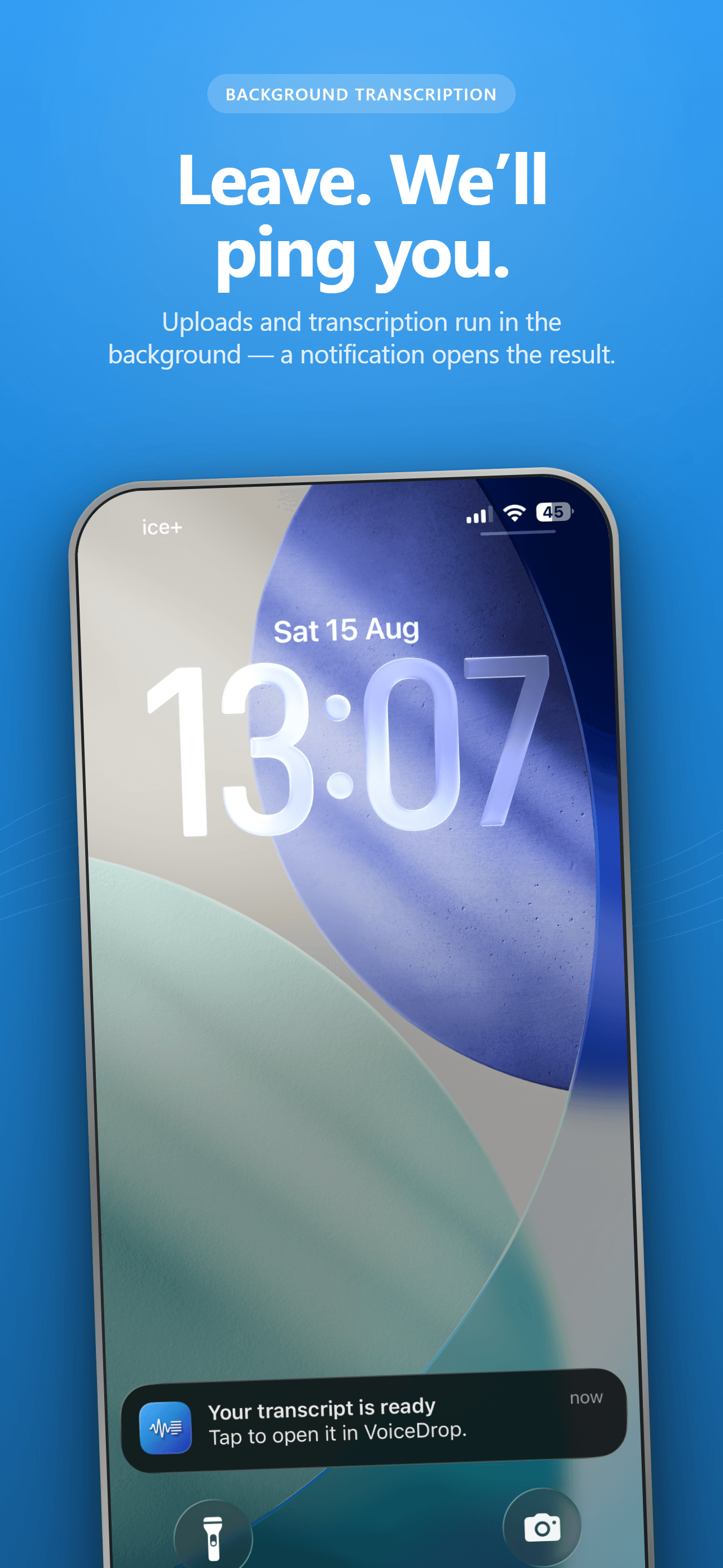
Smart Notes give you an AI summary, decisions and action items for each recording. For a walk, that is often a good first look. Review it before you rely on it: it is a summary of what you said, not a check of whether it is right. VoiceDrop handles 57 languages with automatic detection, so you can think out loud in whichever language comes naturally.
How do I turn the voice note into a plan with Claude or ChatGPT?
The smoothest way is the VoiceDrop connector. It is a read-only MCP server that lets Claude or ChatGPT read your transcripts and Smart Notes (never the audio) when you ask. You connect it once with a browser sign-in, no API key. Setup steps for Claude, ChatGPT, Codex and Claude Code are on the connectors page, and the connector guide explains how it works.
Once it is connected, ask something like this:
Find my VoiceDrop recording from this morning’s walk about the booking page. Turn it into a project plan with these sections: goal in one sentence, what we know, open questions and who can answer them, risks with a suggested mitigation for each, and the next five actions with an owner and a rough date. Keep my wording where it’s specific. If I contradicted myself, point it out instead of picking one. Ask me up to three questions before you finalise it.
Two details in that prompt matter. Asking the assistant to flag contradictions stops it from quietly choosing for you, and asking for questions first catches gaps before the plan hardens. If you did several recordings on Free, ask it to read all recordings from the walk and treat them as one.
Typing that prompt is fine, but for many people saying it is quicker. See how to talk to ChatGPT and Claude instead of typing for dictating prompts on your computer.
Can I do this without the connector?
Yes. Open the recording in the VoiceDrop app or the web library at app.tryvoicedrop.com, copy the transcript, and paste it into any assistant with the same prompt. Replace “find my recording” with “here is the transcript of a voice note I recorded on a walk”. The result is the same; the connector just saves the copying, and lets you come back later with “check that plan against what I said on Tuesday’s walk”.
How often should I do this, and what does it cost?
A good rhythm is one walk at the start of a project and another whenever you feel stuck. Recording time counts toward your monthly minutes, billed per second. The Free plan has 30 minutes a month with recordings up to 10 minutes, enough to try the method a couple of times. Pro is $7.99 a month with 1,200 minutes and recordings up to 60 minutes, which covers a long daily walk. See pricing for all plans. The iPhone app is on the App Store; there is no Android app. Starting and stopping from Control Center on a locked iPhone shipped in October 2026, driven by real-world testing and feedback, so if something gets in your way on a walk, tell the founder.
Talk directly to the founder
VoiceDrop is founder-led, so support is personal: when you write, I read it and answer myself. Ask for a feature: write to me at hi@tryvoicedrop.com. Many of this month’s improvements were driven by real-world testing and feedback.
Gustav Tøstie, founder
Shipped in October 2026
- Eight desktop releases (0.4.13 to 0.4.20), plus iPhone updates
- Faster paste into the app you are typing in
- Filler words like “um” removed automatically in Windows and Mac dictation
- Start and stop recording from Control Center on a locked iPhone, with a notification when the transcript is ready
- Free plan raised to 30 minutes a month
- This website in seven languages